Solutions

Modern Work & Managed IT

We start with an IT audit to understand how your business works and where your team loses time. From there, we look after the PCs your staff use, the accounts and apps they rely on, and the support they need when work stops.

Back to Solutions
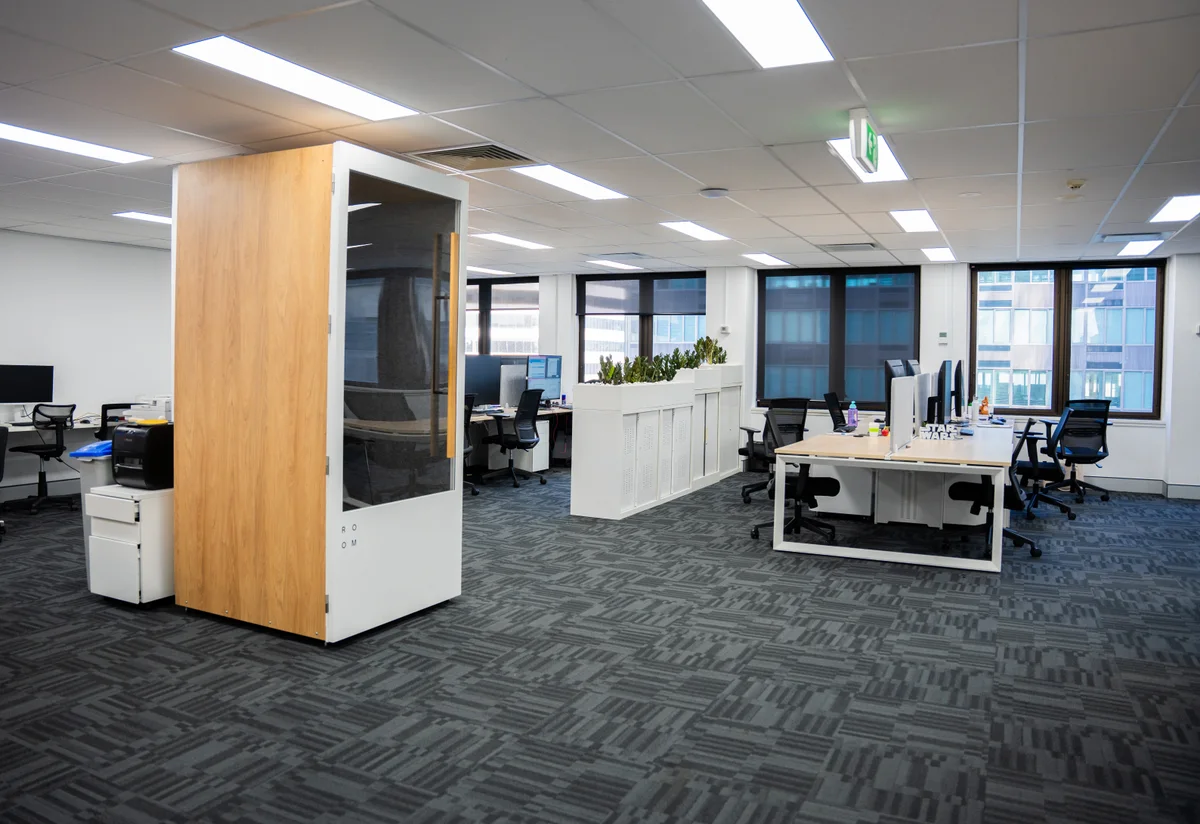
Workstations and a private booth at CICT’s North Sydney office
CICT’s North Sydney office
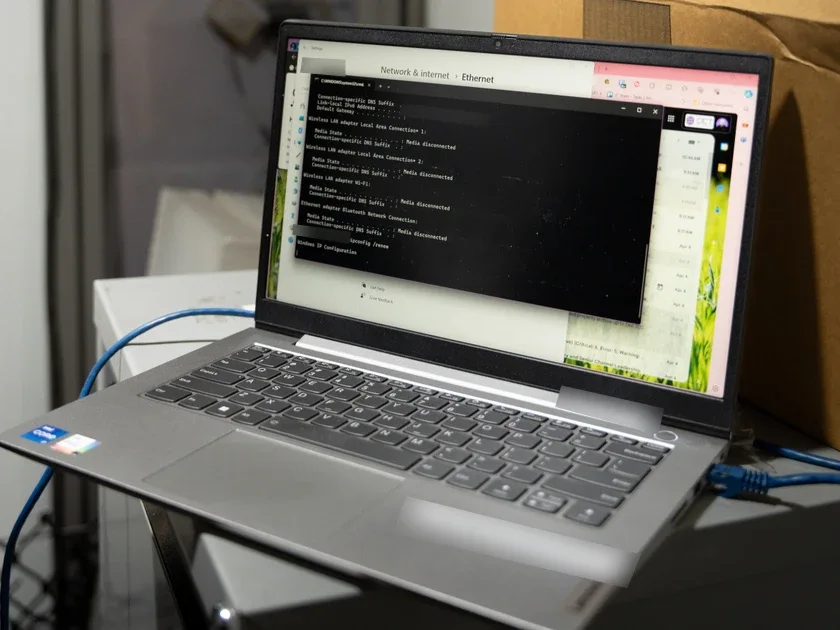
CICT on-site PC troubleshooting
On-site PC troubleshooting

What do you get from the initial IT audit?

We ask which jobs must keep running, then check the systems behind them. Together we agree an Essential Eight maturity target and whether SMB1001 Gold is a goal.

  1. Check the baseline. Bring your cyber insurance questionnaire. We check administrator multi-factor authentication (MFA), overdue patches and the last successful restore against the questions your insurer asks.
  2. Choose the first fix. We map gaps to each framework and rank them by business impact. Every agreed action gets an owner and a date.
  3. Show what changed. Your review compares the same checks over time, with test results and open decisions for leadership.

Modern Work

Who looks after your PCs, Microsoft 365 and Google Workspace?

CICT is Microsoft-first. We also manage Google Workspace and mixed environments. If your team works in Gmail and Google Drive, they can keep those tools while we manage their Windows PCs with Intune. During the audit we agree where accounts and files belong, who can access them and which licences you need.

PC and laptop management

We manage apps, encryption and updates through Microsoft Intune. When a PC needs replacing, we can set up the new one remotely with Windows Autopilot. We agree which local files and settings need moving, then check with the user that their apps, sign-in and files work before retiring the old PC. We also enrol supported phones, tablets and ChromeOS devices.

Identity and access

We manage staff and guest accounts, administrator permissions and multi-factor authentication (MFA). With Microsoft Entra Conditional Access, we can require a compliant PC before someone opens sensitive files. We test policy changes with your team first.

Endpoint detection and response (EDR)

If a laptop raises an alert, we investigate what ran and which other devices may be affected. Where your response plan calls for it, we isolate the device, coordinate recovery and explain what happened to the person responsible for IT.

Spam protection and phishing simulations

We filter suspicious email and investigate quarantined messages. For phishing simulations, we agree who takes part and how often in your support plan. We review what staff spotted or reported and focus follow-up training on the warning signs they missed.

Exchange Online and shared mailboxes
We manage mail delivery, shared addresses and who can send on their behalf. When someone moves teams, we update their access so the right people can read and reply to customer enquiries.
Teams, SharePoint and OneDrive
We manage team membership, guest access and file-sharing permissions. When a supplier project ends, we help the owner check which guests and sharing links still have access.
Which licences do we actually need?
Before renewal, we compare what each role needs with the Microsoft 365 tools staff actually use. An unused seat may be worth reclaiming. If two teams pay for separate file-sharing tools, we check whether their existing SharePoint licence could cover both. We explain the cost and security impact before recommending a change.
Recovery and reporting
We check which mailboxes and files your backup covers and agree a restore test. At review, we can show management the result alongside MFA coverage, device compliance and exceptions that need a decision.

Your Modern Work roadmap

We agree the timing around your team, budget and any renewal dates.

Stage 1 of 5

Assess

Check critical systems against your Essential Eight target. If you’re pursuing SMB1001 Gold, also check the evidence for Level 3, including policies and incident responsibilities.

Stage 2 of 5

Plan

Agree what needs attention first. If a finance administrator lacks MFA, schedule that fix ahead of lower-risk work. Record who owns it and how we’ll test it.

Stage 3 of 5

Implement

Pilot the sign-in change, confirm the finance team can still work, then roll it out to the remaining accounts in scope. Record any exceptions.

Stage 4 of 5

Run

Recheck MFA coverage, review overdue patches and test a restore. Keep dated results and exceptions for your next review and cyber insurance renewal.

Stage 5 of 5

Improve

Compare results with the audit. See which Essential Eight gaps closed, what remains open and which SMB1001 Gold evidence is ready for director review.

What should I know before choosing managed IT?

In-house IT vs managed IT

See what you can hand to CICT when recurring faults and support calls start pushing planned IT work aside.

Learn more about in-house vs managed IT
Who owns a fault during handover?
Before support changes hands, we agree who handles open issues with your current provider and give staff one contact for new ones.
How will I know risk is coming down?
At review, compare the latest restore test with the audit baseline. Can you recover the files you rely on, how long did it take, and who owns the remaining gaps?
What will we pay for?
Replacing a PC for an existing managed user doesn’t add a second monthly user subscription. We check your agreement and confirm any one-off setup or migration fee before work starts. Specialist application moves and other separately scoped projects get their own quote.

CICT Business Technology Framework

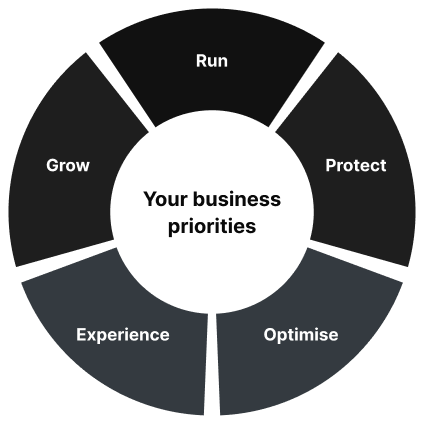
Five pillars of modern business technology

We start with reliable, secure IT. From there, we work with you to reduce wasted effort, improve how people work and prepare for what your business needs next.

Select a pillar to see how it applies to your business.

Run

Keep the IT your team relies on working reliably, with clear ownership when issues arise.

If a shared mailbox repeatedly stops syncing, we trace the cause and check with the team that the fix holds.

Protect

Manage agreed security controls and make gaps visible so you can prioritise what to fix.

For an insurance renewal, compare administrator sign-ins and recovery records against the baseline.

Optimise

Find wasted licence spend, ageing equipment and repetitive work worth improving.

Before your Microsoft 365 renewal, match paid seats to active staff and the tools each role uses.

Experience

Make it easier for staff to get help, access information and collaborate.

Walk through a new starter’s first morning and fix the permissions or device setup that slows them down.

Grow

Plan the technology changes you’ll need for your next hire, site or business priority.

Before signing a new site lease, identify connectivity, equipment and lead times for opening day.

Five pillars surrounding your business priorities

Security and compliance

Essential Eight and SMB1001 Gold

CICT works through the full set of requirements with you. We start with the audit, agree which systems are in scope and record what is already working. Your roadmap shows what CICT will implement, what needs a business decision and how we’ll verify each change.

What will you need to prove?

Bring the security questions from your tender, client contract or cyber insurance renewal. We check what’s in place, gather the evidence and flag gaps before you respond.

  • Law firms. A matter access review shows who outside the legal team can open a client’s files.
  • Real estate. A dated access record can show head office when a departing agent’s access to client records was removed.
  • Manufacturing. A supplier access log can show when remote access to production equipment ended after a repair.

Managing all eight Essential Eight strategies

We agree a target maturity level and assess each strategy against it. We manage application control, patch applications and operating systems, restrict Office macros, harden user applications, limit administrator privileges, enforce multi-factor authentication and test recovery from regular backups.

Explore the Essential Eight ↗

Taking SMB1001 Gold from audit to sign-off

We map every Level 3 requirement to an owner and evidence. CICT implements and tests the agreed technical controls, helps document policies and incident responsibilities, and brings outstanding decisions to your leadership team. Your director reviews the evidence and signs the attestation. CyberCert handles certification.

Read the SMB1001 standard ↗

Preparing for cyber insurance renewal

A standard setup gives us a baseline for compliance reviews and insurance renewals. If a questionnaire asks whether every administrator uses multi-factor authentication, we check actual coverage and record any exceptions, including older systems and the agreed plan for them. If it asks about recovery, we review the latest restore test. You and your broker take those findings to the insurer, who decides cover and terms.

Wireless network equipment at a warehouse site

Connected workplaces

Who looks after the devices beyond your laptops?

Meeting-room screens, cameras, printers and sensors can sit between IT, facilities and a supplier. We help identify what’s connected, who manages updates and access, and where an alert or fault should go. For a temperature sensor protecting stock, that includes agreeing who gets the alert after hours and what they should do.

What’s getting in your team’s way?

Bring a recurring support issue, a Microsoft 365 bill or a security questionnaire with a deadline. We’ll talk through what you handle today and where you’d like CICT to take over.